How to Diagnose a Failing Walk-In Cooler Compressor
Apr 8th 2026
Reading Time: 6 Minutes

Walk-in coolers and freezers coast when the weather is mild, but when ambient kitchen temperatures spike, the load on refrigeration systems will double.
If a compressor is on its last legs now, it will undoubtedly fail on a 100-degree Friday night in July, resulting in thousands of dollars in spoiled inventory for the restaurant and a miserable emergency call for you.
The best technicians don’t just fix broken equipment; they catch the "almost broken" equipment. By adding a few advanced diagnostic steps to your spring preventive maintenance (PM) checks, you can spot a dying compressor before it locks up completely.
Here is your technical guide to diagnosing a walk-in cooler compressor that is preparing to fail.
1. The Electrical Check
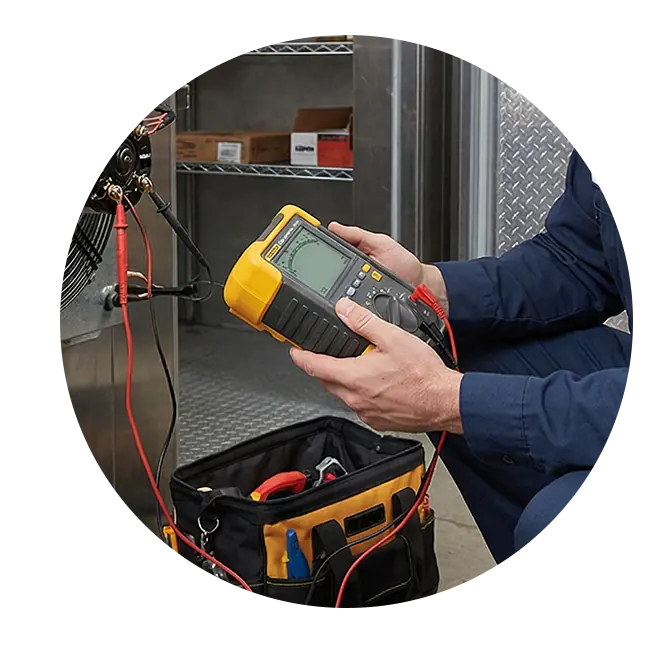
A compressor motor doesn't usually short out overnight. The insulation around the internal copper windings degrades slowly due to heat and acid buildup. But just checking for continuity to ground with a standard multimeter won't catch early-stage insulation failure. By the time a standard meter beeps, the motor is already dead.
- The Diagnostic Tool: Use a Megohmmeter (Megger).
- The Process: Disconnect the power and the wires to the compressor terminals. Meg each terminal to a clean ground on the copper casing.
- The Reading: You want to see readings in the high Megohms (ideal is 50 to 100+ Megohms). If you are reading below 20 Megohms, the insulation is breaking down. If it is under 2 Megohms, the compressor is on borrowed time and should be condemned before it creates a severe acid burnout in the system.

2. Amp Draw vs. RLA (Rated Load Amps)
If the compressor is running, how hard is it running?
- The Diagnostic: Clamp your amp meter around the common wire while the compressor is under a normal load (box close to temp). Compare your reading to the RLA stamped on the data plate.
- The Red Flag: If the compressor is pulling significantly higher amps than the RLA (but hasn't tripped the overload yet), it is working too hard. This is usually a sign of mechanical wear (tight bearings inside the scroll or reciprocating pump) or an external issue like high head pressure.
3. Supporting Components
Often, a compressor is misdiagnosed as "failing" when the real culprits are the cheap electrical components attached to it.
- Start/Run Capacitors: A weak run capacitor will cause the compressor amps to spike and run excessively hot. Always test capacitors under load or with a dedicated microfarad meter. If they are swollen, leaking oil, or outside their +/- rating, replace them immediately.
- The Contactor: Check the points on the compressor contactor. Are they pitted, blackened, or welded? A chattering or pitted contactor delivers inconsistent voltage to the compressor, which will eventually destroy the motor windings.
4. System Pressures and Temperatures
You cannot properly evaluate a compressor without hooking up your gauges and taking temperature readings.
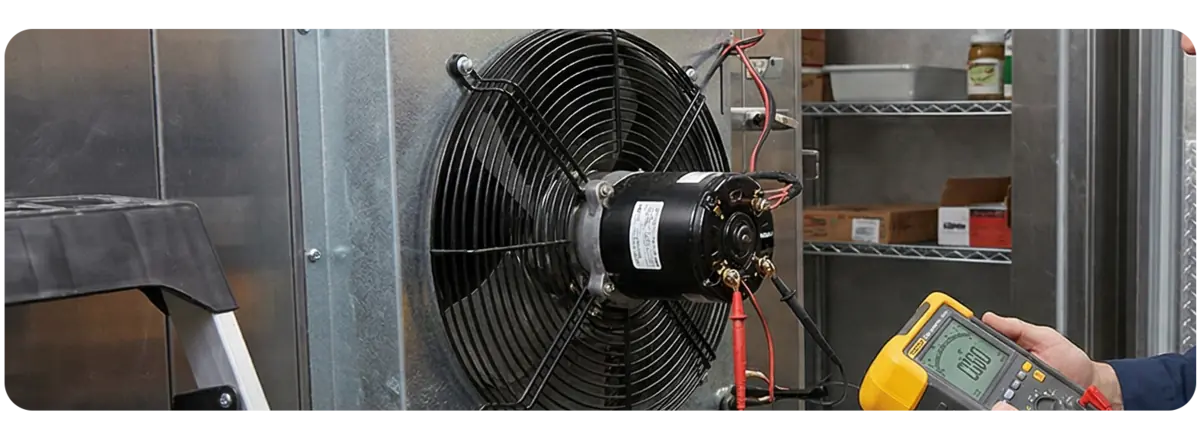
- High Head Pressure: If your high-side pressure is through the roof, check the condenser coil. A coil matted with winter dust and grease is the #1 killer of compressors. The compressor has to work overtime to reject heat, causing internal temperatures to skyrocket.
- Superheat & Subcooling: If the compressor isn't pumping efficiently (bad internal valves), you will see higher-than-normal suction pressure and lower-than-normal head pressure.
- The amp draw will also be suspiciously low because the compressor isn't actually doing the work of moving the refrigerant.
The Sourcing Strategy for Refrigeration
When you condemn a compressor, or when you need to replace those critical supporting components to save it, you need parts immediately.
For in-warranty units, AllPoints carries every major OEM component. But to boost your margins, try AllPoints OCM (Original Component Manufacturer) parts. They are backed by an industry-leading 6-month warranty, and cost an average of 15% less than their OEM counterparts.
- Supporting Components: AllPoints stocks thousands of items, including OCM contactors, run capacitors, hard start kits, and filter driers. These are the exact same factory-grade components the equipment manufacturers use, but without the brand-name markup.
- In-Field Ordering: You don't need to call the office to find the right part. Pull up the mobile-optimized version of AllPointsFPS.com on your phone. You can view digital schematics, cross-reference OEM numbers to OCM equivalents on the job, and add the parts to your "My Parts List" for immediate ordering.
Don't let your customers sweat it out this summer.
Catch the failures now, source reliable OCM components, and achieve your first-time fix.